

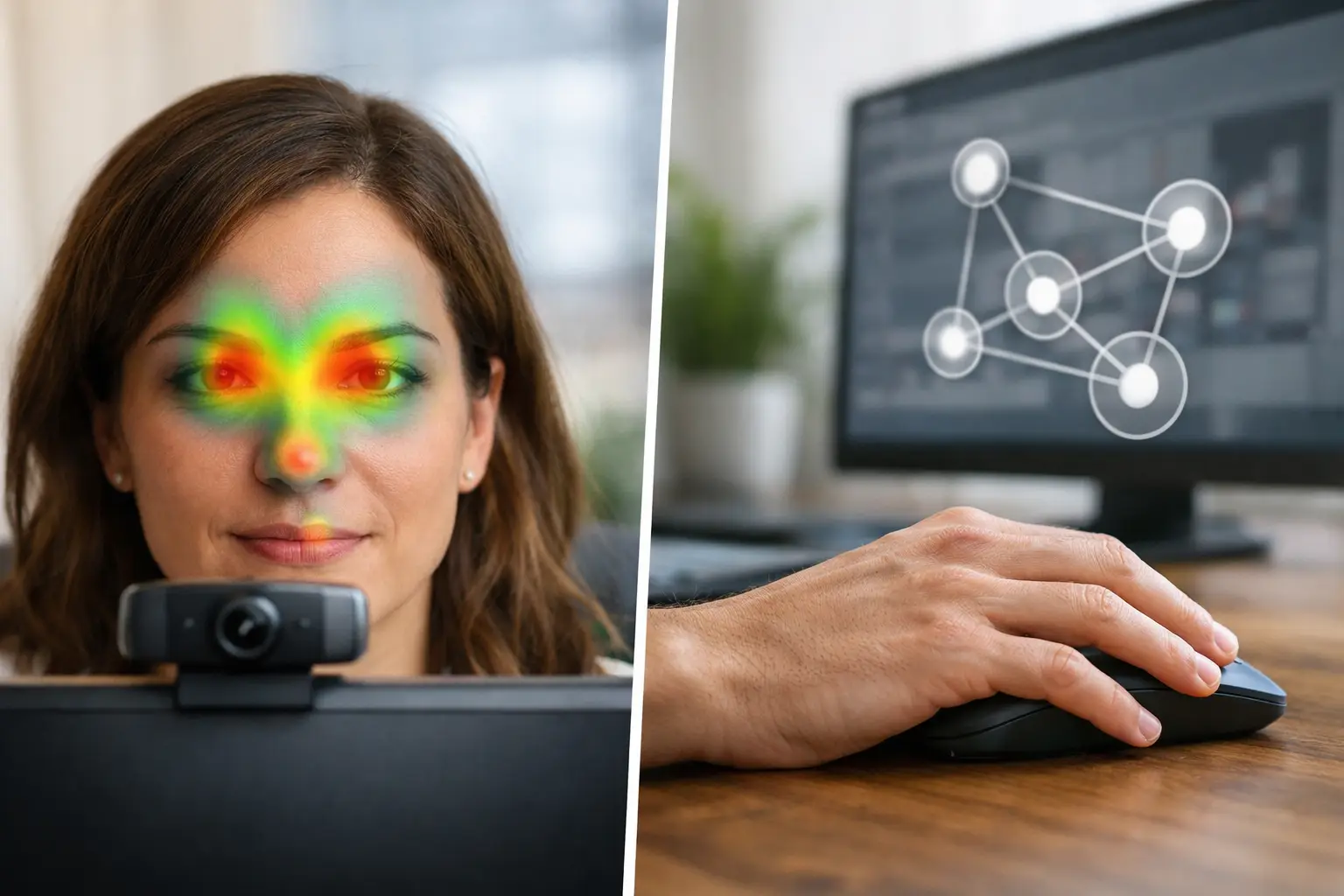
A participant hovers over a product image for five seconds, then clicks a small text link in the corner. Did they carefully examine the image, struggle to find the next step, or simply leave their cursor parked while reading? That is the practical question behind eye tracking vs mouse tracking. Both methods add useful behavioral evidence to surveys and task outcomes, but they do not measure the same thing.
For UX teams, marketers, and researchers working remotely, the choice affects what decisions the study can support. Mouse data can reveal interaction patterns at very low friction. Eye-tracking data can show whether people actually saw a message, a call to action, a price, or a critical interface element before they acted. The strongest approach is not to treat one as a substitute for the other, but to match the method to the research question.
Eye Tracking vs Mouse Tracking: The Core Difference
Eye tracking measures visual attention. It estimates where a participant is looking on a screen and how attention moves over time. Common outputs include heatmaps, fixation plots, areas of interest metrics, time to first fixation, fixation duration, and gaze paths. These measures help answer questions such as: Did people notice the claim? Which packaging element drew attention first? Did users see the error message before abandoning a form?
Mouse tracking records cursor behavior: movement, hovering, clicks, scrolling, and sometimes hesitation patterns. It is especially useful for understanding how people navigate and interact with a page or prototype. Researchers can see which filters were used, where people clicked repeatedly, whether a menu was opened, and how far they scrolled before taking action.
The distinction matters because a cursor is not a pair of eyes. In some tasks, mouse movement and gaze travel in broadly similar directions. In others, they separate completely. A person may read a paragraph while the mouse remains still, look at an ad without moving the pointer, or move the cursor toward a button before visually checking supporting information elsewhere on the page.
What Eye Tracking Can Tell You That Mouse Data Cannot
Visual attention often occurs before any interaction. This makes eye tracking particularly valuable when the goal is to evaluate visibility, hierarchy, and creative effectiveness rather than clicks alone.
Consider a display ad. A click tells you that a small share of viewers took an action. It does not tell you whether non-clickers noticed the brand, read the message, or saw the product. Eye tracking can show the percentage of participants who looked at each key element, how quickly they saw it, and whether attention reached the intended call to action.
The same applies to packaging and shelf-style stimuli. A shopper may not click anything, but their gaze can reveal whether the product name, flavor, price point, or sustainability claim is competing successfully for attention. For video and social creative, gaze data can help identify whether critical information appears before viewers look away or whether a visual element is attracting attention at the wrong moment.
For UX research, eye tracking is useful when a task fails but the reason is unclear. If a participant overlooks navigation, skips an important instruction, or never sees a validation message, the issue may be visual discoverability rather than comprehension. That distinction changes the design recommendation. Rewriting copy will not solve a message that users never notice.
Remote webcam-based eye tracking makes this type of testing more practical for broader audiences. Participants can join through a browser on their own devices, rather than traveling to a specialized lab. That can support faster data collection across markets, languages, and participant segments while preserving the attention measures needed for evidence-based design decisions.
Where Mouse Tracking Is the Better Fit
Mouse tracking is often the right first choice when the research question centers on interaction. It has minimal setup requirements, works well for large behavioral samples, and is naturally suited to live websites, prototypes, and workflows with many clicks.
If an ecommerce team wants to know whether visitors use search, browse categories, apply filters, open product details, add items to cart, or encounter friction at checkout, mouse and click data can provide direct evidence. Scroll depth and cursor movement can also help diagnose whether participants reach key content or abandon a page early.
Mouse tracking is useful for early-stage usability studies because it gives facilitators and analysts a clear record of what participants attempted to do. When paired with task success, survey responses, and session recordings, it can highlight broken paths and unexpected behavior quickly.
It is also a practical option when visual attention is not central to the decision. If the question is, “Can people complete this workflow?” interaction data may be sufficient. Adding eye tracking would increase the depth of evidence, but not necessarily the value of the study.
Why Mouse Movement Is Not a Reliable Gaze Proxy
The temptation to use cursor position as a proxy for attention is understandable. It is easy to collect and easy to visualize. But assuming that a hover equals a look can lead to confident conclusions built on weak evidence.
Cursor behavior depends heavily on task context and personal habits. Some people use the pointer to follow what they read. Others park it outside the content area. On mobile devices, there may be no persistent cursor at all. Participants can also move the mouse toward an anticipated next action while their eyes remain focused on the current content.
This difference is especially important for creative testing. A participant may look directly at a logo or message without any mouse movement, meaning a mouse heatmap could suggest no attention where meaningful visual exposure occurred. Conversely, a hover over a button may reflect an intention to act, not sustained visual inspection.
Mouse data should therefore be interpreted as behavioral interaction data, not visual attention data. It is valuable precisely because it measures something different.
Choosing the Right Method for Your Study
Start with the decision your team needs to make. If you need to know whether people saw an element, use eye tracking. If you need to know what they clicked, selected, or navigated through, use mouse tracking. If you need to understand both attention and action, collect both.
Eye tracking is a strong fit for ad testing, landing page hierarchy, package design, video evaluation, visual search, content prominence, and message visibility. Mouse tracking is a strong fit for usability workflows, navigation analysis, ecommerce journeys, form completion, and interaction-heavy prototypes.
There are practical considerations as well. Webcam eye tracking requires a compatible device environment and a brief calibration process. Researchers should plan for quality checks and establish criteria for usable gaze data. Small interface elements, highly dynamic content, poor lighting, participant movement, and lower-quality webcams can affect precision. That does not make remote eye tracking unsuitable. It means study design, participant instructions, and quality controls matter.
Mouse tracking has fewer technical barriers, but its simplicity can create its own risk: collecting a large volume of data without a clear interpretation plan. A dense cursor heatmap may look persuasive while answering little about attention, comprehension, or intent. Define the metrics that connect directly to the decision before launching the study.
Combine Attention and Interaction for Better Diagnosis
The most informative studies often bring eye, mouse, and self-reported data together. A participant’s behavior becomes easier to interpret when these signals agree - and more interesting when they do not.
Imagine that users fail to submit a form. Mouse tracking shows that many participants move toward the submit button but do not click it. Eye tracking shows that they spend time looking at an unexpected mandatory field above the button. A follow-up survey response indicates confusion about why that field is required. The recommendation is no longer a vague request to “improve the form.” The team can simplify the field, clarify the requirement, and retest the specific point of friction.
Or consider an ad where the call to action receives many fixations but few clicks. That could indicate that people notice it but do not find the offer persuasive, the destination credible, or the next step worthwhile. If the call to action receives neither gaze nor clicks, the problem is more likely placement, contrast, timing, or visual competition.
A browser-based platform such as RealEye can support this combined workflow by bringing webcam eye tracking, surveys, mouse and key tracking, live stimulus testing, and attention analysis into one research setup. This reduces the operational burden of coordinating separate tools and makes it easier to compare signals at the participant and aggregate levels.
Design Studies Around Decisions, Not Data Volume
More tracking data does not automatically produce better insight. A focused study begins with a clear hypothesis: “Will shoppers notice the new value claim before the price?” “Can first-time users find account settings?” “Does the product benefit hold attention long enough to be understood?”
From there, define the relevant areas of interest, tasks, and success criteria. For eye tracking, that may include visibility rate, time to first fixation, and attention share for key elements. For mouse tracking, it may include click paths, filter use, scroll behavior, and completion time. Add survey questions only where they explain what behavioral data cannot, such as perceived clarity, preference, or purchase intent.
The goal is not to prove that a screen generated activity. It is to identify what people saw, what they tried to do, where expectations broke down, and what should change next. When the method follows that goal, both eye tracking and mouse tracking become much more than colorful visualizations - they become practical evidence for the next decision.