

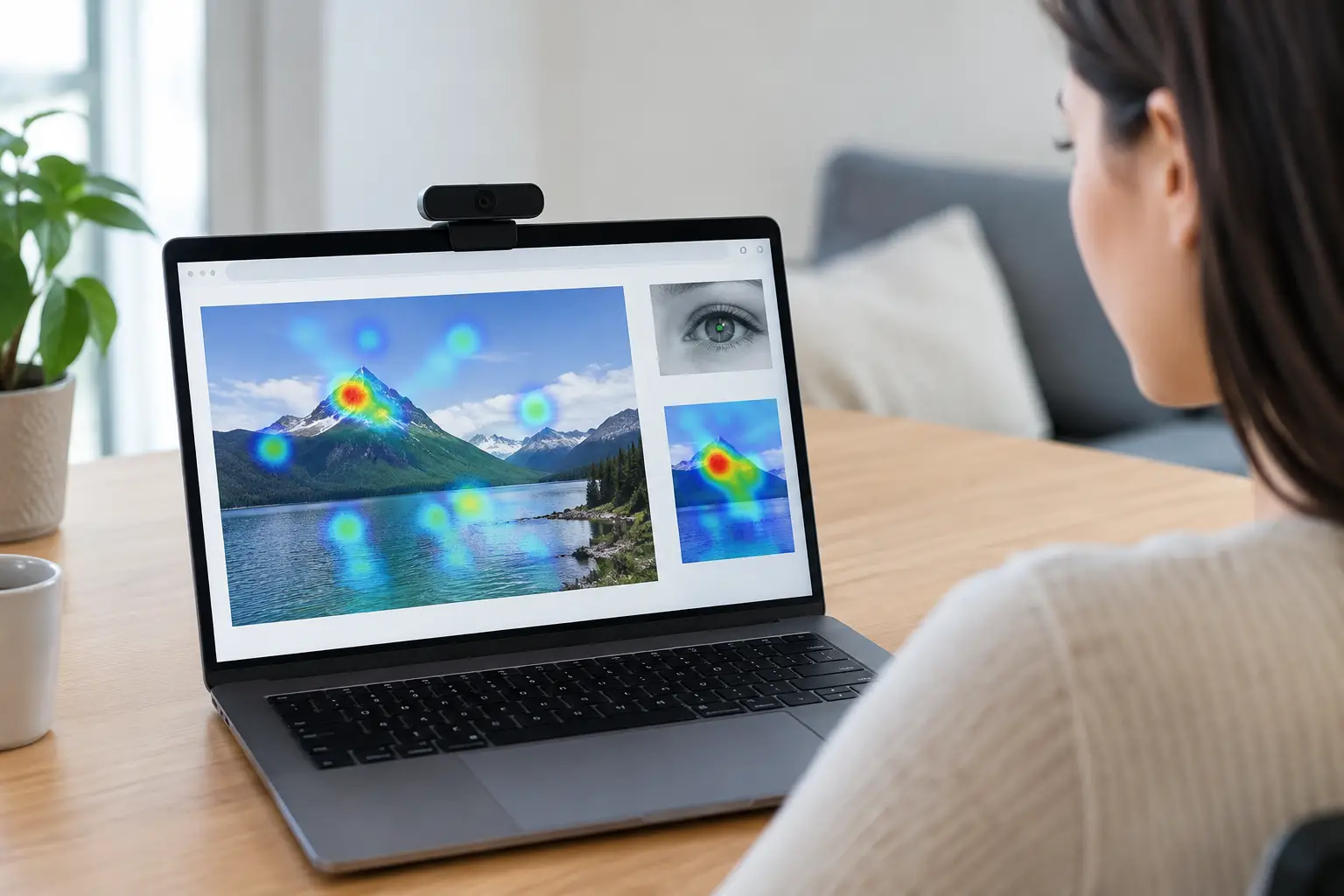
A gaze tracking setup should answer a research question before it asks participants to look at a screen. If the real question is whether a product image catches attention, whether a call-to-action is seen, or whether users can find a key task in a website flow, the setup needs to reflect that decision. Good remote eye-tracking research is not about collecting the most visualizations. It is about collecting attention data you can trust enough to act on.
Webcam-based research makes that process far more accessible than a traditional lab. Participants can join from their own devices, studies can run across markets, and teams can move from a creative question to evidence without coordinating hardware shipments or lab appointments. That convenience does not remove the need for careful study design. It makes clear design choices even more valuable.
Start with the decision, not the stimulus
Before building a study, write one sentence that defines the decision the research will support. For example: “Select the packaging concept that makes the brand and product benefit easiest to notice,” or “Identify where users lose visual attention before completing checkout.” This keeps the study focused when it is time to choose stimuli, tasks, and metrics.
A still image, video, prototype, and live website each create different viewing behavior. A packaging test may need a short, natural viewing period before follow-up questions. A website usability study needs task-based interaction, with attention data interpreted alongside clicks, mouse movement, and survey responses. An ad test may require both exposure conditions and recall or preference questions.
The trade-off is straightforward: highly controlled exposure gives cleaner comparisons, while realistic tasks show behavior closer to the real experience. Neither is automatically better. Choose the format that matches the decision at hand.
Build your gaze tracking setup around the participant experience
Remote participants do not arrive in a lab with a researcher adjusting their position and monitor. The study must guide them clearly, while keeping the process short enough to avoid unnecessary drop-off.
Set clear device and environment requirements
For webcam eye tracking, participants generally need a device with a working webcam, a stable internet connection, and a suitable browser. Ask them to sit in a reasonably well-lit space with their face visible to the camera. Strong backlighting, dark rooms, reflections from glasses, and frequent changes in posture can reduce data quality.
These instructions should be brief and specific. Participants do not need a technical explanation of gaze estimation. They need practical direction: sit facing the screen, keep your full face in view, and avoid moving away from the device during the viewing tasks. If your audience is likely to participate on mobile, design and test that experience separately rather than assuming a desktop stimulus will translate well to a smaller screen.
Use calibration as a quality checkpoint
Calibration aligns the participant’s webcam-based gaze estimate with locations on their screen. It is not just a step to get through. It is the first quality check in the study.
Keep the calibration experience simple, using clear prompts and visual targets. Allow participants to retry when the result is insufficient, but avoid creating a long, frustrating loop. A short practice screen after calibration can also help confirm that instructions are understood before participants reach the main stimulus.
Do not assume every recruited participant will produce usable gaze data. Plan for exclusions and recruit accordingly. Remote research gains scale and speed, but data quality still depends on participant conditions, behavior, device capability, and the quality thresholds you define in advance.
Prepare stimuli that support meaningful analysis
The best gaze data cannot compensate for a stimulus that is hard to interpret. Before launch, review every image, page, prototype, and video as though you were seeing it for the first time.
For static creative, use the final or near-final asset at its intended aspect ratio. Make sure text is readable at typical participant screen sizes. If you want to compare concepts, present them consistently and consider randomizing order to reduce position bias.
For websites and interactive experiences, test each task from start to finish. Check loading behavior, redirects, cookie banners, pop-ups, and responsive layouts. A banner that appears inconsistently or a page that loads slowly can alter attention patterns for reasons unrelated to the design you want to evaluate.
For video, define the moments that matter before the study launches. A brand reveal, pricing frame, product demonstration, or end card may deserve frame-level attention analysis. If the objective is broad creative evaluation, viewing patterns across the full video may be more useful than isolating one moment.
Define areas of interest before fieldwork
Areas of interest, often called AOIs, are the regions you intend to compare: a logo, product pack, headline, navigation item, price, button, or disclaimer. Set them up before data collection whenever possible.
Predefining AOIs prevents hindsight-driven analysis. It also makes it easier to compare concepts fairly and report a focused set of metrics. Useful measures often include time to first fixation, percentage of participants who viewed an area, dwell time, fixation count, and attention sequence.
Metrics need context. A long dwell time on a price can signal strong consideration, but it can also signal confusion. A logo that receives limited attention may be a problem in an awareness ad, yet perfectly acceptable if the user already knows the brand in a checkout flow. Pair gaze data with task success, open-ended feedback, preference questions, or emotion measures where they add explanatory value.
Run a pilot before recruiting at scale
A pilot is one of the most cost-effective parts of a gaze tracking setup. Run the study with a small group that resembles your target audience and inspect the entire workflow: eligibility, instructions, calibration, stimulus display, task logic, survey questions, and recorded data.
Look beyond whether the study technically works. Are participants misunderstanding a task? Is a key screen displayed too briefly? Does the stimulus shift on smaller screens? Are users clicking a location that should be tracked as an AOI? These issues are much easier to fix before hundreds of sessions are in progress.
Use the pilot to validate your timing as well. A five-second exposure may be right for measuring immediate noticeability, but too short for evaluating a detailed product page. Longer exposure creates more opportunity for exploration, but may overstate attention compared with real-world conditions. The right duration depends on how people would normally encounter the content.
Set data-quality rules before you see the results
Quality rules should be established before analysis, not after a result surprises the team. Define the minimum calibration quality, face visibility expectations, usable recording duration, and any exclusion criteria for inattentive or technically compromised sessions.
Keep a record of completed sessions, excluded sessions, and the reason for exclusion. This is especially important for academic projects, stakeholder reporting, and repeated studies where results need to be compared over time.
Sample size also depends on the goal. Exploratory usability work can produce useful directional findings with a smaller set of well-screened participants. Creative comparison and audience segmentation usually benefit from larger samples. If you need to compare markets, device types, or customer segments, plan enough completes for each group rather than relying on a large total sample with thin subgroups.
Analyze patterns before individual visuals
Heatmaps are useful for seeing where attention accumulates. Fixation plots can reveal viewing order. Neither should be treated as a verdict on its own. Start with the question you wrote at the beginning and assess patterns across participants, concepts, and segments.
For a landing page, ask whether visitors noticed the value proposition before moving to secondary content. For packaging, assess whether the brand, product name, and key benefit were seen in the intended order. For a video, look at whether the product or message held attention at critical moments.
Then connect attention to outcomes. Did people who viewed the key benefit complete the task more successfully? Did the concept with faster logo noticeability also earn stronger recall? Did a disclaimer receive attention without disrupting the main message? This is where eye tracking becomes decision support rather than an attractive report.
A browser-based platform such as RealEye can bring eye tracking together with surveys, mouse and key tracking, website testing, dashboards, exports, and participant recruitment options. That combination matters when teams need to understand not only what participants looked at, but what they did and how they responded afterward.
Turn findings into a testable next step
The strongest research output does not end with “participants looked here.” It states what should change and why. That may mean increasing contrast around a CTA, moving a product benefit closer to the visual focal point, simplifying navigation labels, adjusting an end card, or testing a different hierarchy for a package design.
Keep recommendations proportionate to the evidence. If a pattern appears in a small exploratory sample, frame it as a hypothesis for iteration. If it is consistent across a well-powered comparison and supported by task outcomes, it can support a more confident decision.
A well-planned gaze tracking setup gives teams something better than opinions about attention: a practical way to see where communication succeeds, where it loses people, and what to test next.