

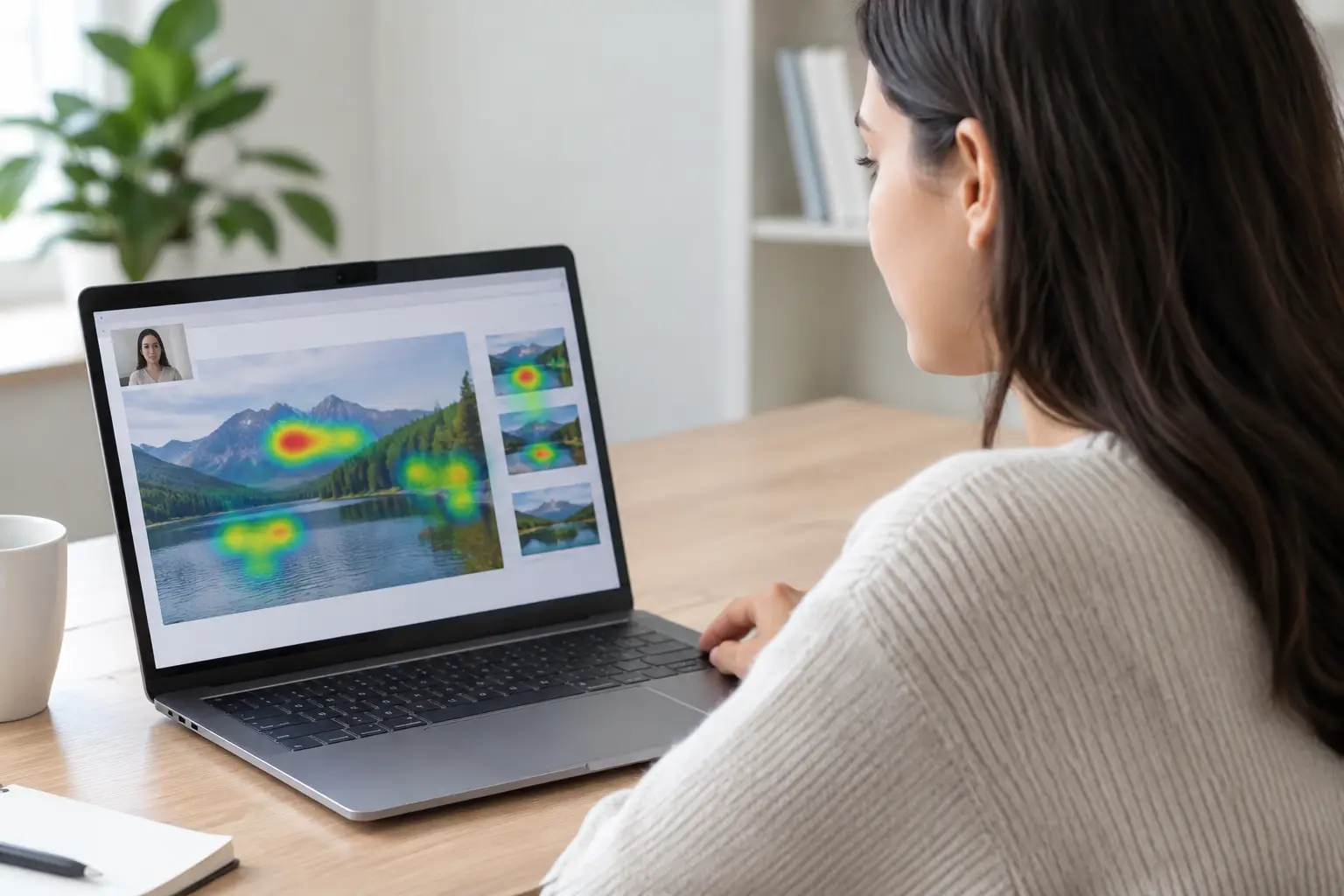
A participant notices the price, pauses on a product image, then abandons a checkout page. That sequence can be highly useful evidence, but only if the underlying measurements are trustworthy. Understanding what affects gaze data quality helps research teams distinguish a genuine attention pattern from a technical artifact, a rushed participant, or a study setup that asked too much of remote equipment.
For webcam-based eye-tracking, quality is not one number and it is not solely a property of the technology. It is the result of participant conditions, device performance, calibration, stimulus design, and the rules used to review and analyze the data. The goal is not to recreate a lab environment in every home. The goal is to set practical quality standards that fit the decision you need to make.
What Affects Gaze Data Quality?
Gaze data quality describes how accurately and consistently a system can estimate where someone is looking over time. In a remote study, researchers commonly assess it through calibration performance, tracking availability, accuracy indicators, data loss, and the stability of gaze patterns across participants.
A result can be usable even when it is not perfect. For example, an advertising team comparing whether a logo receives attention in two otherwise identical creative versions may need reliable group-level differences, not millimeter-level estimates for every individual fixation. A UX team evaluating tiny menu labels or densely packed interface controls needs a higher degree of spatial precision.
This distinction matters because quality thresholds should match the research question. Overly strict filtering can shrink a sample unnecessarily. Overly loose filtering can make heatmaps and areas of interest misleading. The best approach is to define acceptable quality before fieldwork, then apply those rules consistently.
Participant position and movement
Webcam eye-tracking depends on a clear view of the participant's face and eyes. When participants sit too far from the screen, lean heavily to one side, rest their chin in a hand, or frequently shift position, gaze estimates may become less stable. Large head movements can be particularly disruptive after calibration because the system is mapping eye features to positions on the screen.
Participants do not need to sit perfectly still. Asking for unnatural stillness can make a remote study feel burdensome and may change normal viewing behavior. Clear instructions work better: sit comfortably, keep your face visible, and try to remain in roughly the same position during each task. A short practice screen gives participants time to adjust without affecting the study data.
Lighting, camera view, and eyewear
Lighting should make the face visible without creating harsh shadows or glare. A bright window directly behind the participant can turn the face into a silhouette. Strong light reflecting from eyeglass lenses may obscure the eyes, while very dim rooms can reduce the camera image quality needed for reliable tracking.
Glasses are not automatically a reason to exclude someone. Many participants with standard eyewear can provide usable data. However, reflections, thick frames, dirty lenses, and highly reflective coatings can create challenges for some camera and lighting combinations. Contact lenses are typically less likely to interfere, but the same screening and calibration process should apply to everyone.
Camera placement also matters. A laptop webcam positioned near the top center of the screen generally provides a useful angle. External cameras, phones, unusual monitor setups, or a device positioned far below eye level can still work, but they may increase variability. This is one reason device and environment checks should happen before the main study begins.
Device performance and browser conditions
A participant's computer processes the webcam stream, browser content, and any study media at the same time. Older hardware, limited memory, unstable internet, background video calls, or multiple demanding browser tabs can affect performance. These issues may appear as reduced tracking availability, delayed media playback, or inconsistent timing.
For studies involving video, scrolling websites, or quick visual changes, timing deserves special attention. If a stimulus is slow to load or is displayed differently across devices, participants may not receive the same exposure. Providing device guidance and limiting unnecessary background activity reduces avoidable variation.
Mobile testing can broaden access and reflect real-world behavior, but it introduces different conditions. Screen size, hand-held movement, viewing distance, and orientation can vary more than on a desktop. Mobile is often a strong choice for mobile-first experiences, provided the study is designed around larger visual elements and realistic tasks rather than tiny targets.
Calibration Is a Checkpoint, Not a Formality
Calibration establishes the relationship between a participant's eye features and screen locations. A participant who rushes through calibration, looks away from the target, or does not understand the task can produce weak data before the actual stimulus is shown.
The calibration experience should be short, clear, and appropriate for the device. Explain that the participant should follow the target with their eyes, not move their head toward it. If the platform supports validation or recalibration, use it when the initial result does not meet your predefined threshold.
Do not treat calibration as a one-time pass or fail event. Data quality can change later if the participant shifts position, lighting changes, or the person adjusts their screen. When a session includes a long survey, a break, or several tasks, consider adding a quick recalibration point. It adds a little time, but it can protect the quality of later measurements.
Stimulus Design Can Create or Reduce Noise
A well-calibrated session can still produce weak insight if the stimulus does not suit the method. Small text, narrow buttons, fine print, and tightly grouped elements are difficult to interpret when expected gaze accuracy is broader than the item itself. If two areas of interest sit only a few pixels apart, an apparent difference may be a classification issue rather than a behavioral finding.
Design areas of interest with the expected precision in mind. For a packaging study, measuring attention to the brand block, product image, and price zone may be more reliable than trying to separate individual words in a small claim. For a website test, grouping related navigation items can answer whether users found the navigation region before asking which exact link received the first fixation.
Stimulus scaling is another common source of error. If a website, image, or ad renders at different sizes across participant screens, coordinates must remain aligned with the visual content. Test the study on the device types you intend to allow. Check zoom behavior, browser rendering, responsive breakpoints, video controls, cookie banners, and loading states. These details can change where people look and what the system records.
Participant Engagement Changes the Meaning of the Data
Poor-quality gaze data is not always a technical issue. A participant who is distracted, rushing for an incentive, multitasking, or misunderstanding a task may generate data that is technically trackable but behaviorally unhelpful.
Good study design encourages natural attention without hiding the task. Use concise instructions, realistic scenarios, and an appropriate study length. Ask attention or comprehension questions where they genuinely validate engagement, rather than adding traps that make participants anxious. For usability research, task success, open-ended feedback, clicks, mouse movements, and survey responses provide useful context for interpreting gaze.
Recruitment quality also matters. A sample that matches the intended audience is more valuable than a larger pool of poorly matched respondents. If your target users regularly shop on mobile, research only on desktop may produce clean data that answers the wrong question.
A Practical Quality-Control Workflow
The most reliable programs make quality control part of the workflow, not a rescue effort after data collection. Before launch, define the decisions you need to support and the level of detail required. Then establish a protocol that covers four areas:
- participant eligibility and device requirements
- calibration and validation thresholds
- session-level exclusion rules, such as excessive data loss or incomplete tasks
- analysis rules for areas of interest, outliers, and minimum usable sample sizes
During fieldwork, monitor quality by segment, not only as an overall average. A study may perform well on recent desktop devices but poorly on a specific mobile setup or browser. This does not always require excluding that segment. It may reveal a real access pattern worth addressing. The decision should depend on whether the data meets the study's accuracy needs and whether the segment is central to the target audience.
After collection, review gaze outcomes alongside behavioral evidence. Heatmaps are useful for spotting broad patterns, while fixation plots and time-based metrics help explain sequence and attention duration. Compare visual attention with clicks, task completion, emotion measures, and survey answers before making a recommendation. A participant may look at a call to action and still not understand its purpose.
RealEye supports this process with browser-based study setup, calibration tools, session quality indicators, and visual outputs that help teams review attention data without the operational burden of a traditional lab.
Quality Is Built Before Analysis
The strongest gaze studies do not rely on one perfect metric or a single exclusion rule. They align the participant experience, technical setup, stimulus, and analysis plan with a specific research decision. When those pieces fit together, remote eye-tracking can provide fast, scalable evidence about what people actually see, miss, and consider.
Before your next launch, identify the smallest visual detail your decision depends on, test whether participants can view it consistently, and set quality criteria that protect that answer. That preparation gives your team clearer data and more confidence when it is time to act on it.